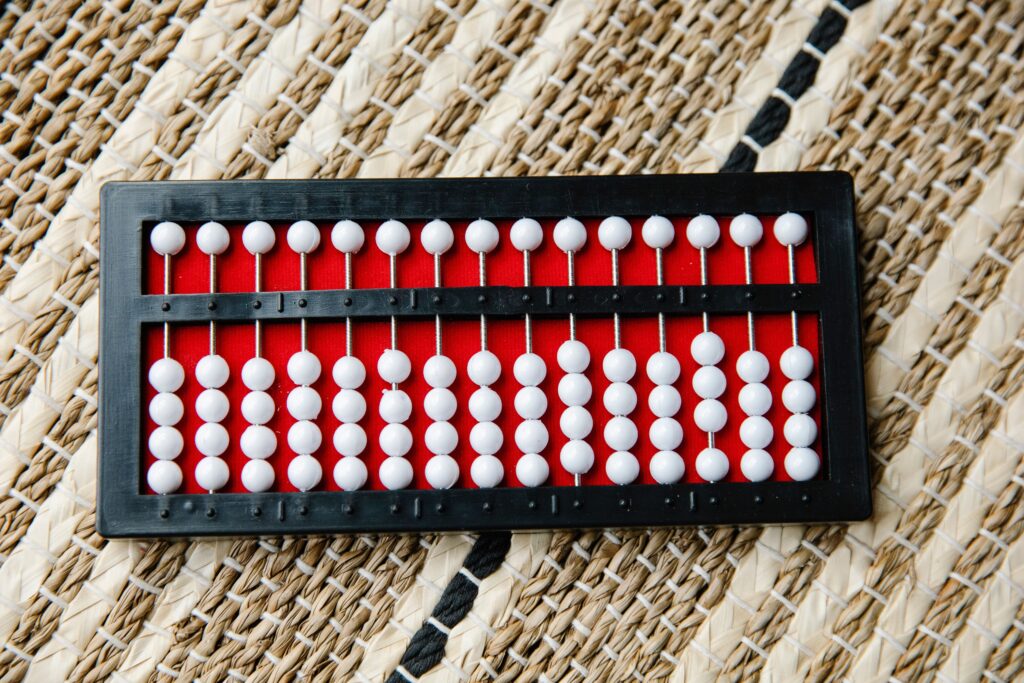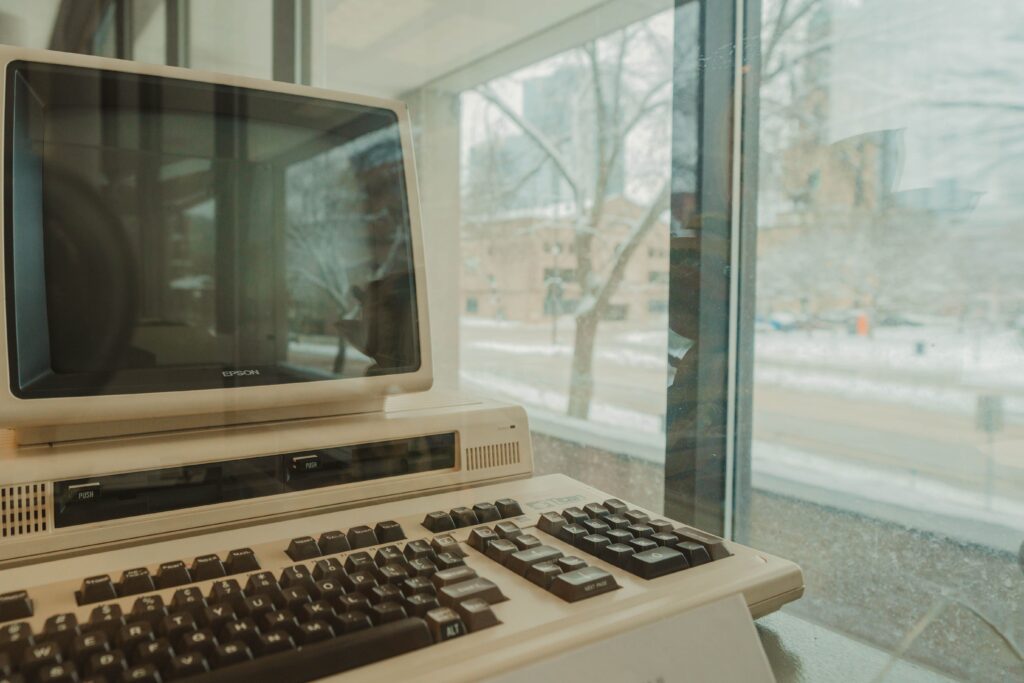
Photo by Maria Stewart
Tracing eight decades of human-computer interface innovation — from mechanical inputs to intelligent voice and gesture-based interactions.
Introduction
Imagine a large room in the 1940s, filled with rows of quietly humming metal machines. In the center, an operator stands before a computer the size of a wardrobe, feeding it hundreds of punch cards. At the time, this was the only way humans could “talk” to machines.
Over time, this mode of communication has changed drastically. From pressing mechanical keys to tapping glass screens, from typing instructions into terminals to simply saying, “Hey Siri, open my last document.” The long journey of computer input devices is not just a story of technology—it is the story of how humans have strived to close the gap between mind and machine.
In this article, we will trace the evolution of computer input devices, from the early days of punch cards to modern voice commands and gesture control in the era of artificial intelligence. It is a long journey of how computers have slowly learned to understand our language.
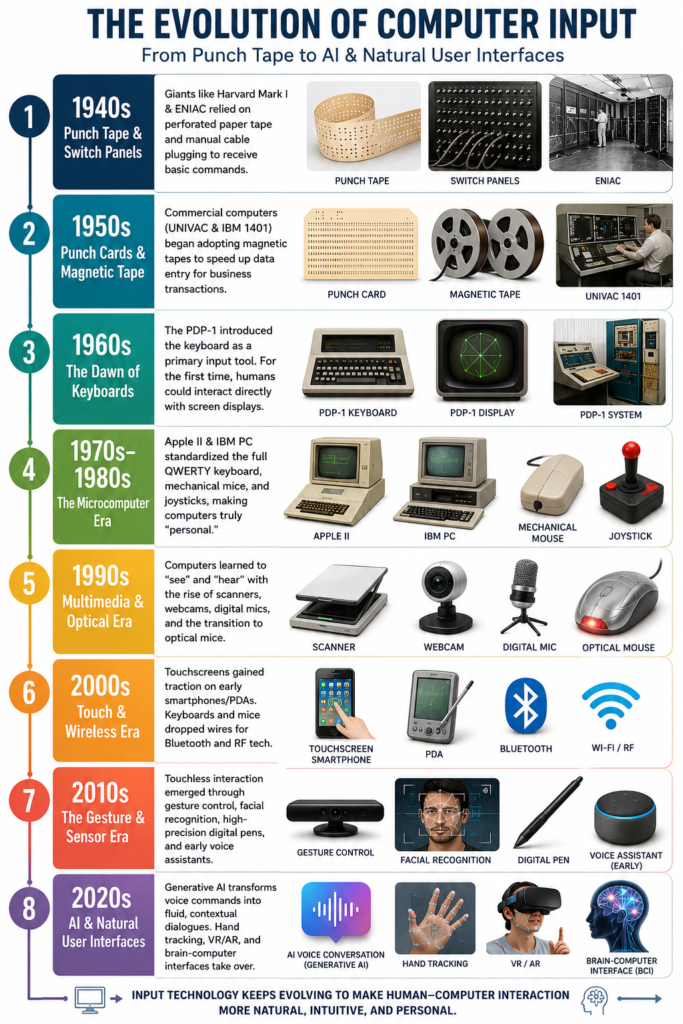
Before we dive into the detailed history, here is a quick visual timeline mapping out how our interface with machines has transformed over the decades.
What is an Input Device?
An input device is a crucial component of a computer system that functions to feed data or instructions to be processed by the CPU. Without input devices, a computer would be nothing more than a collection of electronic circuits with no idea what to do.
The data entered can take many forms: text, numbers, images, sound, or even body movements. This means every time you type, click, speak, or touch a screen, you are providing a “language” for the machine so it understands your intent.
Main Categories of Input Devices
We can group input devices based on the type of data being entered:
1. Text Input Devices
- Keyboard: The most common device for typing letters, numbers, and symbols.
- Numeric Keypad: Used on cash registers, ATMs, or calculators.
2. Pointing Devices
- Mouse: Used to move the pointer on the screen and select objects.
- Touchpad: Typically found on laptops, replacing the function of a mouse.
- Trackball: A rolling ball used to control the cursor.
- Stylus and Touchscreen: Allows direct interaction with the display screen.
3. Optical Input Devices
- Scanner: Scans physical images or text into a digital format.
- Webcam: Captures live images or video.
- Digital Camera: Similar to a webcam, but equipped with internal storage (such as an SD card).
4. Motion and Sensor Input Devices
- Joystick and Game Controller: Used in gaming or simulations.
- Motion Sensor: Used in VR devices or security systems.
- 3D Camera / Depth Camera: Recognizes body movements or shapes.
5. Audio Input Devices
- Microphone: Captures sound for storage or processing.
- Voice Recognition Device: Recognizes voice commands (such as Siri or Google Assistant).
The Evolution of Input Devices
1. 1940s: The Early Era — Punch Tape and Switch Panels
- Harvard MARK I (1944): As one of the world’s first electromechanical computers, the Automatic Sequence Controlled Calculator (ASCC)—developed by Howard Aiken in collaboration with IBM—used punch tape (perforated paper tape) as its input medium. Programs and data were encoded into small holes read mechanically. Operators could also use switches and levers to input simple commands.
- ENIAC (1945): Unlike the Harvard Mark I, the ENIAC utilized electronic components, though its input system remained manual and complex. To enter data, operators had to plug in cables and turn manual switches on massive panels. Programming a single, simple command could take hours.
2. 1950s: The Commercial Machine Era — Punch Cards and Magnetic Tape
- UNIVAC I (1951): The Universal Automatic Computer I introduced the use of magnetic tape as an input medium alongside punch cards, which were still used for data and instructions. This significantly accelerated the input process compared to previous mechanical systems.
- IBM 1401 (1959): This highly popular business computer featured card readers and magnetic tape. Operators fed thousands of punch cards containing transaction data into the machine. At this point, keyboards were still restricted to direct operations by technicians.
3. 1960s: The Interactive Era — Keyboards and Monitors
- PDP-1 (1960): This computer introduced the keyboard as a primary input tool—a massive leap toward direct interaction. The PDP-1 also featured a CRT monitor and a light pen, making it the first interactive system in history.
- IBM System/360 (1964): This mainframe series standardized the use of operator consoles equipped with a keyboard and display screen. Input became far more practical and flexible than punch cards.
- DEC PDP-8 (1965): The PDP-8 made human-computer interaction more practical and affordable. It combined manual front-panel controls with text input (teletype) and simple storage media (paper tape), laying the groundwork for personal computers in the decades to follow.
4. 1970s–1980s: The Microcomputer Era — Mice, Joysticks, and Scanners
- Apple II (1977): The first home computer to feature a full QWERTY keyboard and game paddles/joysticks. Users could interact directly with the machine without needing a technician—the computer finally became “personal.”
- IBM PC (1981): The IBM Personal Computer introduced the mechanical Model F keyboard as a standard, later followed by the mouse and floppy disk drive for data input. This combination formed the foundation of the modern computer interface.
- Other peripherals used with the IBM PC included: Joysticks for gaming, light pens for graphic or CAD applications, early scanners (mid-1980s) for image input, and external modems to receive data via telephone lines.
5. 1990s: The Multimedia Era
- Optical Input Devices: As visual demands grew, devices capable of reading images, patterns, and symbols emerged.
- Scanner: Used to copy images or text from paper into a digital format.
- Barcode Reader: Reads vertical black-and-white lines that represent product codes.
- QR Reader: A two-dimensional version of the barcode capable of storing thousands of characters in a small square pattern. While both are optical input devices, the QR Reader is more advanced and can be read by standard cameras rather than relying solely on lasers.
- Cameras and Webcams: When Computers Learned to “See”: Digital cameras and webcams expanded computer input from text and audio to visual data. Initially used for videoconferencing, cameras have now become vital for security systems, facial recognition, and augmented reality, classifying them as Optical Input Devices (specifically Image Input Devices). Through this technology, computers began to “see” the world the way humans do.
- Audio Input Devices: When Computers Began to “Hear”: The development of digital microphones and voice recognition systems transformed how we give instructions. Moving beyond mere sound recording, voice-recognition systems could now convert speech to text, accept direct voice commands, and identify speakers by their unique vocal characteristics. Voice assistants like Google Assistant, Siri, and Alexa represent the peak of audio input evolution—computers that don’t just hear, but actually understand conversational context.
- Other Inputs Diversified: Multimedia keyboards added volume and play/pause keys; optical mice began replacing mechanical ball mice; touchpads and trackpoints were introduced to laptops; and gamepads and steering wheels flourished in the gaming world.
- The Evolution of the Mouse: First developed by Douglas Engelbart in 1968, the mouse only achieved widespread popularity after being introduced by the Apple Lisa (1983) and Macintosh (1984). Its evolutionary timeline can be seen in Table , illustrating a massive shift from mechanical hardware to digital, cord-free devices.
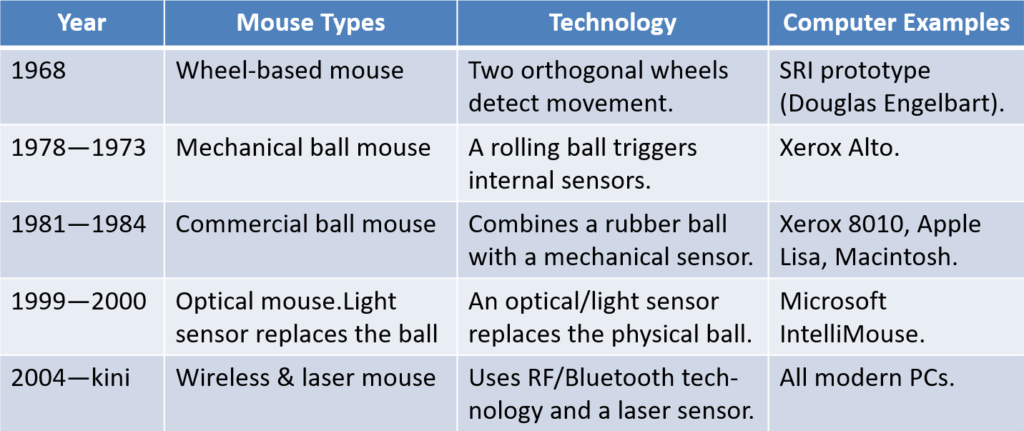
Table 1 Mouse Evolution
6. 2000s: The Touch and Wireless Era
Input systems began merging sensors with wireless technology:
- Touchscreens gained popularity in PDAs, smartphones, and tablet computers.
- Wireless mice and keyboards adopted RF and Bluetooth technology.
- Webcams became standard hardware for video calls and facial recognition.
- Styluses were widely adopted for digital drawing and tablet navigation.
- Fingerprint sensors were introduced to laptops and mobile phones.
7. 2010s: The Gesture Era
- Voice recognition went mainstream via Siri, Alexa, and Google Assistant.
- Gesture control emerged through devices like Microsoft Kinect and Leap Motion.
- Multi-touch screens became the standard for smartphones and laptops.
- High-pressure digital pens (like the Apple Pencil and Wacom pens) rolled out.
- Facial recognition and eye tracking were deployed for security and accessibility.
Input became increasingly natural and intuitive, leveraging voice, touch, and movement.
8. 2020s: The Era of AI, AR/VR, and Brain-Computer Interfaces
- Voice & Generative AI Assistants: Voice commands became ubiquitous through Siri, Google Assistant, and Alexa. However, the biggest leap in this era was driven by Generative AI. While early systems relied on rigid, structured voice commands (like “Play music”), modern AI-driven assistants understand complex, abstract conversational contexts, slang, and subtle nuances. Inputting voice is no longer just about dictating text; it has become a fluid, two-way dialogue where the computer truly grasps the intent behind our words.
- AR/VR Controllers: Track hand movements and body positions in real-time.
- Hand and Eye Tracking: Begin replacing physical controllers entirely in VR environments.
- Gesture Sensors and Haptic Feedback: Provide tactile sensations in virtual spaces.
- Brain-Computer Interfaces (BCI): Projects like Neuralink and NextMind begin enabling direct communication between the human brain and computers.
Input devices are transforming into Natural User Interfaces (NUI)—humans are no longer just “operating machines,” but rather “interacting” naturally with them.
Conclusion
Today, computers no longer simply “receive” commands; they analyze and interpret them. Facial, motion, and voice recognition technologies indicate that the future of input devices is moving toward systems that are highly intuitive and adaptive.
In the future, we might not type or touch at all. Computers might recognize our intentions simply from the gaze of our eyes or the patterns of our brainwaves.
“The best interface is no interface — when the computer understands you naturally.”
Hope you find this insightful. Your feedback is highly appreciated!